In 2018, way before the world opened up to the idea of working from home, the average monthly consumption, per person, of electricity was 914 kWh. Even then, many people took the time to reevaluate their energy usage and make positive changes to cut back on their footprints and save on their energy bills.
Now, many of us are facing much higher rates of consumption because we’re always home.
This has some doubling their electricity bill and stretching their internet usage to the max. The average electricity bill in 2018, in the US, was $117.65. What are you paying today?
Working from home can create a huge drain on your utilities, but there are ways to cut back. Remembering these simple steps can help save money on your energy bill.
[ag-video src=”https://youtu.be/5go5Do3ac9U”]
1. Control vampire appliances
While the name makes them sound devious, vampire appliances are everyday items that continue to suck electricity even when they’re not in use. Simply keeping them plugged in means they’re stealing away valuable energy and costing you extra. Some of the biggest culprits in this category are:
- Cell phone and laptop chargers
- Video game chargers and console plugs
- Computer printers
- TVs
- Stereos
- Coffee makers
- Electric toothbrushes
You can unplug most of these items when they’re not in use. It’s easy to keep chargers next to outlets, but not always plugged in at the ready. When you remove your electronics from their charger, even if it’s your toothbrush, simply unplug the charger, as well.
The same goes for your coffee maker and any other appliance that runs a clock or lets you program it. Those are the parts taking your electricity all the time. When you’re done with them, unplug them.
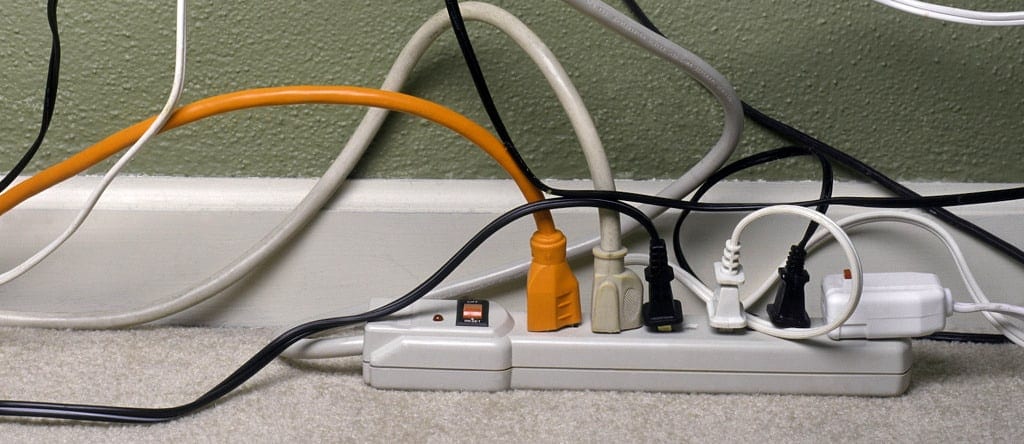
For devices where it’s harder to reach the outlet, like the TV, consider plugging everything into a power strip with a longer cord. This makes it easy for you to reach the on/off switch on the power cord. Turning the strip off when you’re done binge-watching your favorite show means a little extra cash to rent the movie going straight to streaming.

2. Drain the power
It’s not an irrational fear, especially when working from home, to worry about your laptop or tablet running out of power at a crucial moment. We get busy and don’t always keep an eye on our power levels when finishing up an important project. The safety net, for some, is to keep their devices plugged in at all times. This way, power always stays at 100 percent. This tactic might be OK if you’re only home for part of the day. But working full-time from home, it’s a huge energy drain.
Consider only charging your device in short spurts during the day to give it an energy boost. A perfect time for a recharge is when you walk away for lunch or take a bathroom break. Concentrate on getting it back up to 100 at night, when you’re done working.
Doing this not only helps you save on your energy bill, but it’s also good for your device’s battery. According to TIME, fully charging your battery stresses it out and can wear it down faster. We’re already pushing our devices to the limit as we work from home. Let’s try and keep the battery working as long as possible.
3. Put it to sleep
Does your computer stay on even when you walk away from it? Have you turned off sleep mode to make sure you don’t miss a single notification during working hours? If so, you’re burning up electricity. Engaging power management features or putting your computer to sleep can save you up to $50 per year on your electric bill. That’s huge.
You can also save more by using office equipment with an ENERGY STAR® rating. These computers, monitors and printers all naturally use less energy to perform the same tasks as energy-sucking devices. They’ll also power down automatically when not in use.
After two hours of sleeping, remember to turn your devices off. You’re clearly done with them for the day (hooray).

4. Manage your lighting
Whether your home office is at the kitchen table, inside a closet or in a dedicated office space, lighting is key. It’s also expensive. If you haven’t already, convert the bulbs in your office to LEDs. They not help you save on your energy bill, but the average LED bulb lasts about 25,000 hours. An incandescent bulb only makes it 1,200 hours.
After you’ve taken care of the bulbs, seek out sources for natural light. If you’re working in an area with windows, open up the blinds. Rely on natural light, if you can, for at least part of the day, giving your bulbs a break.
Always make sure to turn off all lights when you leave a room.
5. Control the temperature
Most office buildings are notorious for unregulated temperatures. One office is freezing. You’re wearing a sweater in summer and using a space heater. Another is so hot you dress in layers all winter so you can have short sleeves while at work. Your apartment won’t be so problematic. The issue is that you’re home all the time, so your thermostat is constantly working.
When you’re not home, it’s possible to adjust your thermostat to temps that make it less likely to run as often. It’s important to have a comfortable temperature when working, which means you’re using more electricity to regulate the temperature in your apartment. When you’re not home, you don’t need to maintain that temperature. Just a single degree adjustment can save you money. This slight change isn’t noticeable either, so consider it a way to save a few bucks.
You can also bite the bullet and alter your thermostat by a few additional degrees. You’ll notice this, but you’re working from home where there’s no dress code. If you get cold, you can wrap up in a heavy blanket and still type. If you get hot, you can sit at your desk in clothing fit for the pool. Keep something business-appropriate close by to throw on for those conference calls, but revel in a lower electric bill.

6. Cut back on data usage
While your router doesn’t technically use a large amount of electricity, having it on all the time, always working for you, drains another essential utility when working from home — data. You need this as much as you need electricity in order to get your work done, but there are limits.
Maxing out your data limits each month not only means your devices are working overtime to raise your electricity bill, but you’re at risk for paying internet overages. Being resourceful with your internet usage can work hand-in-hand with lowering your electric bill. Just remember, even when you’ve put your computer to sleep, it could still drain your data.
To avoid this, make sure to:
- Turn off location services on your phone while you’re home
- Download music and videos instead of streaming
- Use an internet browser that automatically compresses data like Google Chrome
- Turn off the streaming device on your TV before you turn off the TV. They all keep streaming even when the TV isn’t on.
- Use some of your phone data instead of your Wi-Fi. This saves electricity too!
If you don’t mind lowering the quality of the video you stream, that also helps save data. However, if you have a 4K TV, you most likely want to use it. Either way, with your devices working less to give you what you want, you’re saving data and some power.
Save on your energy bill
It’s time to stop asking yourself how to save money on utilities, and start taking action. There are a lot of easy ways to make big changes in your electricity bill, and even save some internet data in the process.
The trick is to turn these small actions into regular habits. Put reminders around your office at the start and in no time it will feel like a routine to unplug energy-hungry devices or check that your computer actually fell asleep when you finally get to walk away for that second cup of coffee.